
StardustTV - Movies & Dramas
StardustTVEntertainment
4.58.19K Reviews
- Version
- 2.49.0
- Installs
- 10.00M
- Age Rating
- Teen
Screenshots

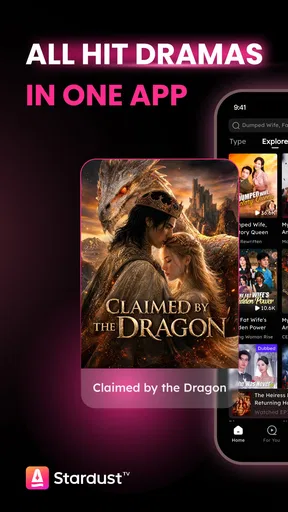
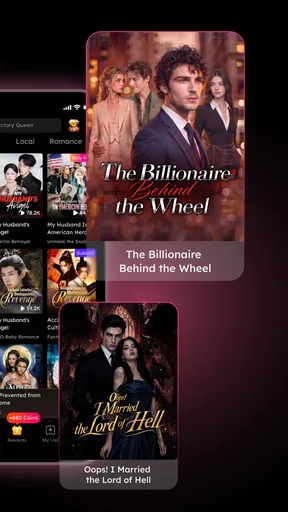

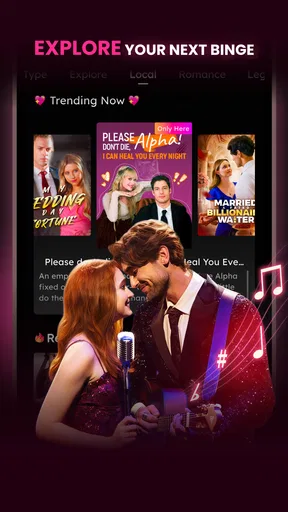
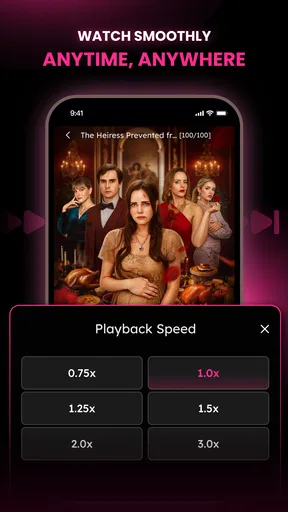
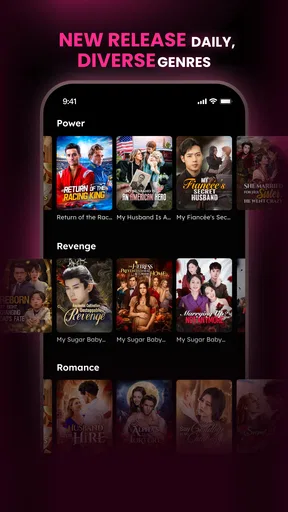
Our Review of StardustTV - Movies & Dramas
 Analysis by Appyee
When I judge a streaming app, I care less about grand promises and more about the small moments: how quickly I can find something, whether a show holds up when I watch away from home, and how much effort it takes to pick up where I left off. StardustTV - Movies & Dramas is an entertainment app from StardustTV built around short dramas and series. Its focus makes it a different sort of choice from a broad film-and-TV service: it is most appealing when I want a quick, story-led watch rather than a long search across every kind of video.
Finding a story without turning it into a project
The basic appeal is straightforward: open the app, browse, and choose a drama or series. That format suits the gaps in a day when I have time for a few episodes but not a full-length film. I would consider it for a lunch break, a quiet ride, or the stretch of time before bed when I want a complete little story arc to follow. Its short-drama emphasis gives the experience a more focused feel than trying to decide among a huge range of general streaming options.
That focus also helps set expectations. StardustTV is not the first app I would reach for when I want a carefully curated film library, live television, or a place to keep every kind of video in one account. I see it as a companion for a particular mood: quick, serialized entertainment that is easy to dip into. If that is what I am after, a narrower catalogue can be an advantage because I spend less time deciding what sort of service I want to use.
Speed expectations: getting from browse to play
For a short-drama app, perceived speed matters as much as image quality. If I have only a few spare minutes, waiting through a slow start or repeatedly hunting for the next episode can use up the time I meant to spend watching. In my experience, the most useful way to approach StardustTV is to decide what kind of story I want before opening it, then use browsing or search to narrow the choice rather than scrolling without a plan. That small habit makes a focused catalogue feel faster even when I am still exploring.
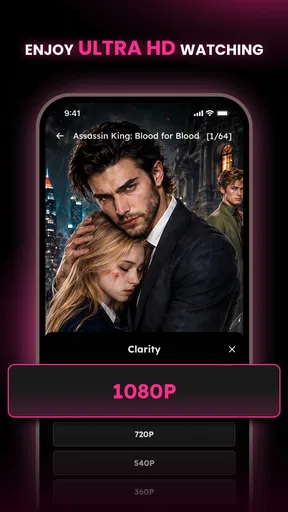
The app presents itself as a place for short dramas and hit series, with Full HD viewing as part of its pitch. That gives me a reasonable expectation of clear playback when my connection and device can support it, but I would not treat a particular resolution or smooth start as guaranteed in every setting. A crowded network, weak mobile signal, or an older device can change the experience. When I care about avoiding interruptions, I would test a short episode first instead of committing to a long viewing session right away.
Heavy-use moments and practical trade-offs
Short episodes make it tempting to keep watching one more, especially when a story ends on a hook. The practical trade-off is that a series built for quick viewing can turn a brief break into a much longer session. I find it useful to choose a stopping point before pressing play, particularly late at night or during a commute with a fixed destination. That is less about a special app control and more about using the format deliberately.
Streaming video can also use a noticeable share of a mobile data allowance, so I would reserve longer sessions for Wi-Fi when possible. If I am heading somewhere with unreliable reception, saving content ahead of time—where that option is available in my version and for the title I want—can be a sensible way to reduce dependence on a live connection. I would check that a download has finished before leaving rather than assume a title will be ready just because I tapped the control.
Reliability when plans change
My standard for reliability is not simply whether a video starts once. It is whether I can return to watching after a call, a weak connection, or a change of plans without having to reconstruct what I was doing. I would treat playback on StardustTV like any streaming experience: if a session is interrupted, check the connection first, then reopen the episode and confirm the point at which it resumes. That simple recovery routine is more dependable than repeatedly tapping play when the network is struggling.
Offline viewing can help when connectivity is the main uncertainty, but it is worth treating it as preparation rather than a cure-all. A download needs enough device storage, and it is smart to open the saved episode before travelling so I know it is available as expected. For a trip, I would choose only the next few things I am likely to watch instead of filling a phone with a large backlog. That keeps the plan manageable and leaves room for other apps and files.
Device fit, cost, and who should look elsewhere
StardustTV is free to install, and it has a Teen content rating. The current version is 2.34.9, and it requires Android 12 or later, so an older Android phone may not be able to run it. The app has a 4.8 average from around 780,000 ratings and more than 10 million installs, which suggests that many people have tried it, though popularity alone cannot tell me whether its catalogue suits my taste. In-app purchases range from $0.99 to $229.99 per item, so I would check the price shown for any purchase before confirming it rather than assuming every part of the experience is free.
The app is a better fit for someone who enjoys short, serialised drama and wants entertainment in compact sessions. I would point a viewer toward a broader streaming service instead if they mainly want feature films, familiar mainstream series, or a single subscription that covers many types of programming. I would also skip StardustTV if I know I prefer long films over episode-by-episode cliffhangers. Choosing based on viewing habits is more useful than installing every video app and hoping one happens to match.
Discovering the Vast Universe of StardustTV
First things first, the library on StardustTV - Movies & Dramas is pretty massive. We’re talking a wide range of genres that can tickle anyone's fancy. Whether you’re into heartwarming dramas, edge-of-your-seat thrillers, or those quirky indie flicks, this app seems to have it all. I spent a good chunk of my weekend just browsing through titles, and trust me, it wasn’t easy deciding what to watch first!
User Interface that Feels Like Home
Let’s talk about the interface because, honestly, it’s a make-or-break deal for me. Luckily, StardustTV doesn’t disappoint. The layout is super intuitive, making it easy to navigate even if you’re not the most tech-savvy person around. Everything is organized neatly into categories, and the search feature is a lifesaver when you’re trying to find that one movie you’ve been dying to watch.
One thing I absolutely loved is how the app suggests movies based on your viewing history. It’s like having a personal movie curator who just gets your taste. Plus, the recommendations are surprisingly spot-on, which is a huge win in my book.
Streaming Quality That Shines
Alright, let’s get into the nitty-gritty: streaming quality. We’ve all been there, settling in for a movie night only to be met with endless buffering. Well, I’m happy to report that StardustTV offers a smooth streaming experience. The video quality is crisp, and I didn’t encounter any annoying lags during my binge sessions. It’s like having a mini theater in the palm of your hand.
For a realistic everyday test, I would open an episode while connected to Wi-Fi at home, then try another during a break on mobile data. If playback feels less consistent away from Wi-Fi, that points to the connection as well as the app; it is not a fair comparison to judge video quality on a strong home network against a weak signal outdoors. I also prefer to start with a single episode before settling in for a longer run, since that gives me a quick sense of whether the current connection is up to the job.
Features That Make It Stand Out
Now, let’s chat about some of the cool features that make StardustTV a standout option. One of my favorites is the offline download feature. Sometimes you just need to save a few episodes or a movie for those long commutes or flights. It’s super easy to download and watch later, which is a game-changer.
The app also supports multiple languages, both in terms of audio and subtitles. This multilingual support is awesome if you’re trying to brush up on a new language or just prefer watching in the original audio. Plus, it really opens up the content library to a global audience.
A useful way to make those options work for you is to choose the audio and subtitle combination before you settle into a longer session, rather than interrupting the story later to adjust it. I would also test the combination on one episode first: subtitles can be a better fit for watching quietly, while audio in a language I am learning gives me a different kind of practice. The right choice depends on where I am watching and how much attention I can give the screen.
Personal recommendations are helpful, but I would not let them become the only way I discover something. If a few suggestions miss the mood I am in, I would switch to search or browse by category instead of repeatedly opening similar recommendations. That creates a useful balance: history-based picks can save time when I want something familiar, while a deliberate search can take me outside the patterns of what I have already watched.
Performance verdict and the kind of viewer it suits
StardustTV is easiest to recommend when short dramas are already the kind of entertainment you reach for. Its compact format, browsing tools, offline viewing, and language options give me several ways to fit a story around an ordinary day. I would use it for a short break when I want something more engaging than idle scrolling, or prepare a few episodes before a journey where reception may be patchy. Those are practical strengths, not a reason to expect every title or session to work identically on every device.
On performance, I would describe my experience as smooth, while keeping the usual streaming limits in mind: connection quality, device capability, and the demands of a long viewing session all matter. The Android 12 requirement is especially relevant if I am considering installing it on an older phone; checking compatibility before planning a trip around offline viewing saves disappointment. I would also leave some free storage if I intend to download episodes, and avoid starting a large download right before walking out the door.
Compared with broad streaming alternatives, this app is more appealing when I want short serial stories and less appealing when I want a varied catalogue of films, documentaries, or live channels. Its free entry point makes it easy to explore, but in-app purchases mean I would pay attention to any purchase prompt and decide whether it is worthwhile for my own viewing. For a Teen-rated entertainment app, I would still make choices based on the specific content and the viewer, rather than treating the age label as a guarantee that every story will suit everyone.
Final Thoughts
So, should you give StardustTV a shot? If you’re a movie and drama buff like me, I’d say definitely! The app offers a rich variety of content, a user-friendly interface, and solid streaming quality. It feels like it caters to both casual viewers and hardcore cinephiles alike. Plus, the ability to watch offline and the quality of recommendations just sweetens the deal.
If you’re curious about exploring new cinematic worlds, why not give StardustTV a whirl? It might just become your new favorite app for discovering hidden gems and reliving classic stories. Happy streaming!
Privacy and Permissions
See what permissions an app requests and how it handles your data.
- Calendar
- read calendar events plus confidential information, add or modify calendar events and send email to guests without owners' knowledge
- Photos/Media/Files
- read the contents of your USB storage, modify or delete the contents of your USB storage
- Storage
- read the contents of your USB storage, modify or delete the contents of your USB storage
- Wi-Fi connection information
- view Wi-Fi connections
- Other
- view network connections, connect and disconnect from Wi-Fi, full network access, change your audio settings, run at startup, control vibration, prevent device from sleeping, Google Play license check
Verdict
Strengths of StardustTV - Movies & Dramas
- User-friendly interface that's easy to navigate.
- Extensive library with diverse movie genres.
- High-quality streaming with minimal buffering.
- Allows personalized watchlists and recommendations.
- Ad-free experience for uninterrupted viewing.
Limitations of StardustTV - Movies & Dramas
- Limited availability of international films.
- Requires subscription for full access.
- No offline download option for movies.
- Occasional glitches in the search function.
- Limited parental controls for kids' profiles.
Similar Picks in This Category
View All
Google Play Games
Google LLC3.9

Netflix
Netflix, Inc.4.8

YouTube Kids
Google LLC4.2

Disney+
Disney4.4

Prime Video
Amazon Mobile LLC4.7

Steam
Valve Corporation3.2
Frequently Asked Questions
What is StardustTV, and what content does it offer?
StardustTV is a streaming application that provides a wide range of movies and dramas. It caters to fans of both classic and contemporary content, offering a diverse library that includes international films and popular TV series. Users can enjoy genres like romance, thriller, action, and more, all available in high-quality streaming.
Is StardustTV available for both Android and iOS devices?
Yes, StardustTV is compatible with both Android and iOS platforms. Users can download the app from the Google Play Store for Android devices or the Apple App Store for iOS devices. The application is optimized for a smooth viewing experience on both operating systems, ensuring accessibility for a wide range of users.
Does StardustTV require a subscription or payment to access content?
StardustTV operates on a subscription-based model, which means users need to subscribe to access the full range of content. However, the app might offer a free trial period for new users. Subscription plans vary, so it's advisable to check current pricing and any available promotions before subscribing.
How user-friendly is the StardustTV interface?
StardustTV boasts a user-friendly interface designed for easy navigation. The app features intuitive menus and a well-organized library, allowing users to quickly find their desired content. Additionally, it includes features like personalized recommendations and watchlists, enhancing the overall user experience and making content discovery simple.
Are there any parental controls available on StardustTV?
Yes, StardustTV includes parental control features to ensure a safe viewing environment for younger audiences. Parents can set restrictions on content access based on age ratings, ensuring that children only view age-appropriate material. This feature offers peace of mind for families using the app.
